How to Charge a Portable Power Station Faster
Recharge time is capacity divided by real input watts. See how wall, solar and car sources compare, which limits cap speed, and habits that save hours.
 By BuyOnceChoice Editorial Team
Updated November 16, 2026
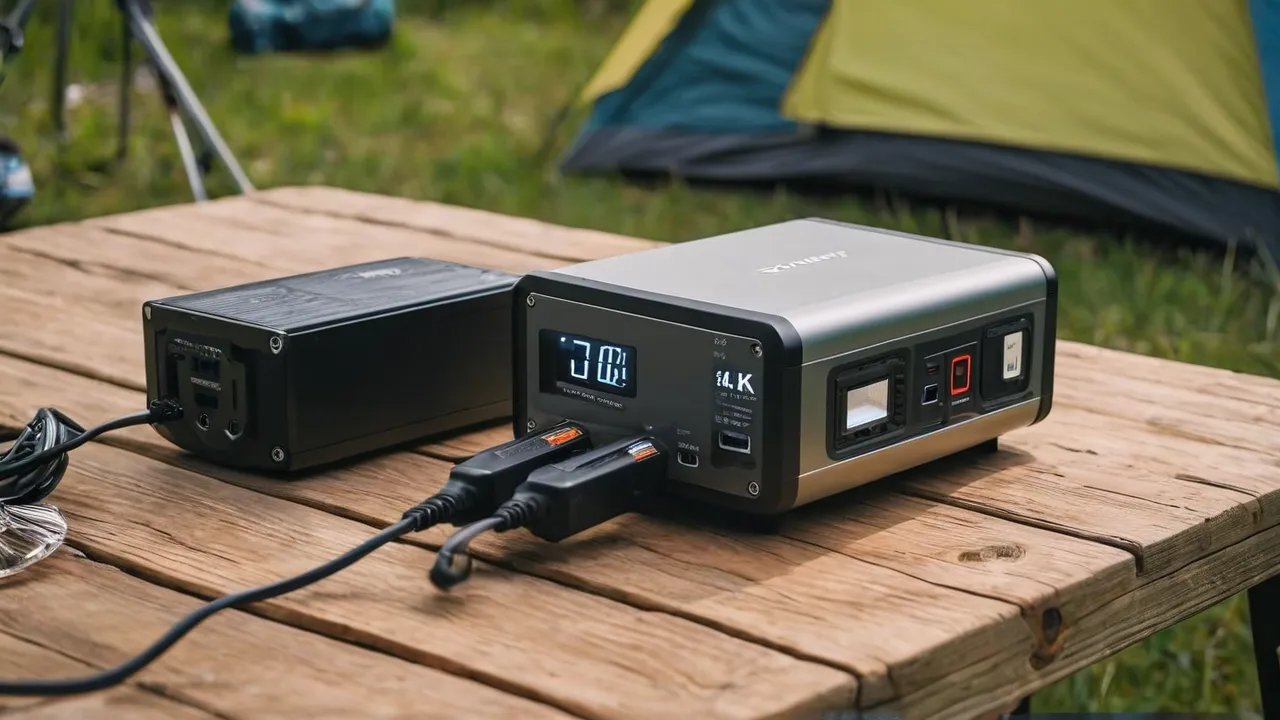
To charge a portable power station faster, use the highest power input it supports, which is usually its wall charger or an AC input mode, and add solar or a second source only if the manual says the inputs can combine. Charge time is battery capacity divided by input power, plus losses, so the main lever is more watts in.
The Simple Math Behind Charge Time
Charge time in hours is roughly the battery capacity in watt hours divided by the input watts, plus 10 to 20 percent for charging losses. A 1,000 watt hour battery charging at 500 watts takes about two hours plus losses, so around two and a half hours. At 100 watts it takes about 10 hours plus losses, which is nearly 12 hours.
Charging often slows near the end. Many units charge fast to about 80 percent and then taper, to protect the battery. The product page may list a time for 0 to 80 percent and for 0 to 100 percent. Remember that stated times assume the best case input and room temperature.
Wall Charging: The Fastest Dependable Method
Wall charging uses the AC charger or the built in AC input, and it is usually the fastest dependable option. Input power ranges widely by model, from a few hundred watts up to well over a thousand watts on units with fast charging modes. Some require a special mode or a particular cable. Use the manufacturer’s charger and cable, and plug into a wall outlet on a circuit that can handle the load, avoiding long or thin extension cords. Check the manual to see if the app or a switch enables fast charging.
Look at the details on the product page to find the real number. Some listings give the input in watts for AC, and others describe a fast charge mode that needs a specific cable or app setting. Make sure your outlet can supply it: a 15 amp household circuit at 120 volts can deliver about 1,800 watts, but it shares that with anything else on the circuit, and continuous loads should stay lower, so a high wattage charger is best on its own circuit. If you use an extension cord, choose one with a heavy gauge and keep it short. A hot cord or plug is a sign that the load is too high.
Solar Charging: Speed Depends on Sunlight and Voltage
Solar input depends on the panels’ wattage, sunlight, angle, temperature and the unit’s input limits. A power station has a voltage range and a maximum input power for its solar port, and panels outside that range will not charge properly. Under real conditions, panels deliver less than their rated watts, often around half to three quarters in good sun and much less in clouds.
To charge faster with solar, use panels within the voltage and watt limits, point them at the sun and adjust the tilt, keep them clean and out of shade and check connectors and cables. Series connection raises voltage and parallel raises current, so follow the manual. Our solar generator category covers kits matched to stations.
Think about the practical limits of solar. A 200 watt panel in strong sun might deliver around 100 to 150 watts into a power station, so charging a 1,000 watt hour battery takes perhaps seven to ten hours of good sun. Two panels in parallel or series, within the input limits, halve that time. Place panels facing the sun, tilt them toward it, and move them a few times a day. Do not let cables lie in water, and avoid covering panels with leaves or dust, which cut output.
Car Charging: Slow but Handy
Car charging through a 12 volt socket is slow, commonly around 100 to 150 watts at most, and some stations give less. It is useful on the road, and the engine should be running to avoid draining the vehicle’s battery. Check the manual for the maximum input and cable. A 1,000 watt hour battery at about 100 watts takes around 12 hours.
Combining Sources
Some stations accept AC and solar at the same time, which raises total input. Others accept only one source at a time, or limit combined input. Check the manual for the maximum combined input. Do not connect multiple chargers unless the manual describes it.
Habits That Help
- Charge in a cool, shaded, ventilated place.
- Use the original cable and charger, or ones listed as compatible.
- Do not run heavy loads while charging if you want the fastest charge, since output draws from the input.
- Keep the battery between about 20 and 80 percent for daily use if you do not need full capacity, when the manual suggests.
- Update firmware and use the app’s fast charge settings.
- Keep the vents clear so the fan can cool the unit.
Plan your charging around your schedule. If you expect a storm, charge fully beforehand rather than waiting. If you use the station daily, charging overnight on the wall is usually the easiest, and you wake up with a full unit. Label the cables and keep spares in a bag with the manual so that you do not need to search in an emergency.
Cold and Heat
Lithium batteries charge slowly or not at all in freezing temperatures, and many stations limit charging below about 32 degrees Fahrenheit to protect the cells. High heat also slows charging and can trigger protective shutdowns. Bring the unit to room temperature before charging in winter, and avoid hot cars. Follow the temperature range in the manual.
If you have to charge in the cold, bring the station inside for an hour first, or use a heated space. Some batteries have internal heaters or a low temperature charging mode. Others simply refuse to charge until warm, so check the manual before you rely on it in winter. In summer, keep the station in the shade and give it airflow, since high temperatures reduce charge speed.
Safety
Never charge or store damaged, swollen or hot battery packs. Do not charge near flammable materials or on soft surfaces that block vents. Use only compatible chargers. If the unit smells, swells, leaks or overheats, stop using it and contact the manufacturer. Do not leave it charging unattended for long in a closed space. See how we review for how we assess products.
A Worked Example
Suppose you own a 2,000 watt hour station that accepts up to 800 watts from AC and up to 400 watts from solar, and can combine them up to 1,000 watts. Charging from the wall alone at 800 watts takes about 2,000 divided by 800, or 2.5 hours, plus losses, so around three hours. Adding 300 watts of solar in good sun raises input to about 1,100 watts, limited to 1,000 by the unit, which cuts the time to roughly two and a half hours. In cloudy weather solar might add 100 watts, saving only a little. Car charging at 100 watts would take about 20 hours plus losses.
Troubleshooting Slow Charging
If charging is slower than expected, check the cable and charger, the outlet, the input mode and the unit’s temperature. Make sure fast charge is enabled. Check solar panel voltage and wiring, and shade. Try another outlet. If the problem persists, contact the manufacturer.
Work through a short checklist in order. First confirm the display shows the expected input watts, since the screen usually tells you what the unit is actually receiving. Second, swap the cable or outlet to rule out a bad connection. Third, check for firmware updates or a setting that limits input power, which some apps provide to protect the battery. Fourth, let the unit cool down if it feels hot. If input is still far below the rating, contact the maker with the model number and the displayed figures.
Which Approach Fits Which Buyer
Home backup users should rely on wall charging, plus solar for long outages. Campers need solar and vehicle charging, and they should buy panels sized to the station. Frequent travelers may value fast AC charging above all. See the portable power stations category.
Frequently Asked Questions
How long does it take to charge a portable power station?
Divide battery capacity in watt hours by input watts, and add 10 to 20 percent for losses. A 1,000 watt hour unit at 500 watts takes around two and a half hours. Slower sources like car charging or small panels take many hours.
Can I charge a power station with solar and AC at the same time?
Some models can, which raises the total input, and others cannot or limit the combined power to a single maximum. Check the manual for the maximum combined input and any settings required, and do not connect extra chargers unless the manual explicitly allows it.
Why is my power station charging slowly?
Common causes are a low power source, a thin or damaged cable, a cold or hot battery, shaded panels, the wrong input mode or the unit tapering near full. Check the manual, the cable, the battery temperature and the settings before assuming the unit is faulty.
Is fast charging bad for the battery?
Fast charging produces more heat and some extra wear, though manufacturers design for it within set limits. Use the maker’s charger, keep the unit cool, leave the vents clear and avoid charging in extreme temperatures to protect long term battery life.
Final Thoughts
Charge faster by increasing input watts within the unit’s limits, with wall charging as the dependable base and solar as a supplement. Keep the unit at moderate temperatures, use compatible gear and follow the manual and battery safety rules.
Related buying guides
- Can You Fly With a Portable Power Station
- How Long Do Portable Power Stations Last
- How to Choose a Portable Power Station
About the author

The BuyOnceChoice Editorial Team researches durable products worth buying once. Our guides compare published specifications, warranty terms, expert review consensus, and verified owner feedback. We do not conduct our own product trials. See How We Review and our Editorial Policy for our standards.