Dual Motor vs Single Motor Standing Desks
Most of the difference between one and two motors shows up under load. Use this rule by gear weight and monitor setup, and see which claims to verify.
 By BuyOnceChoice Editorial Team
Updated November 16, 2026
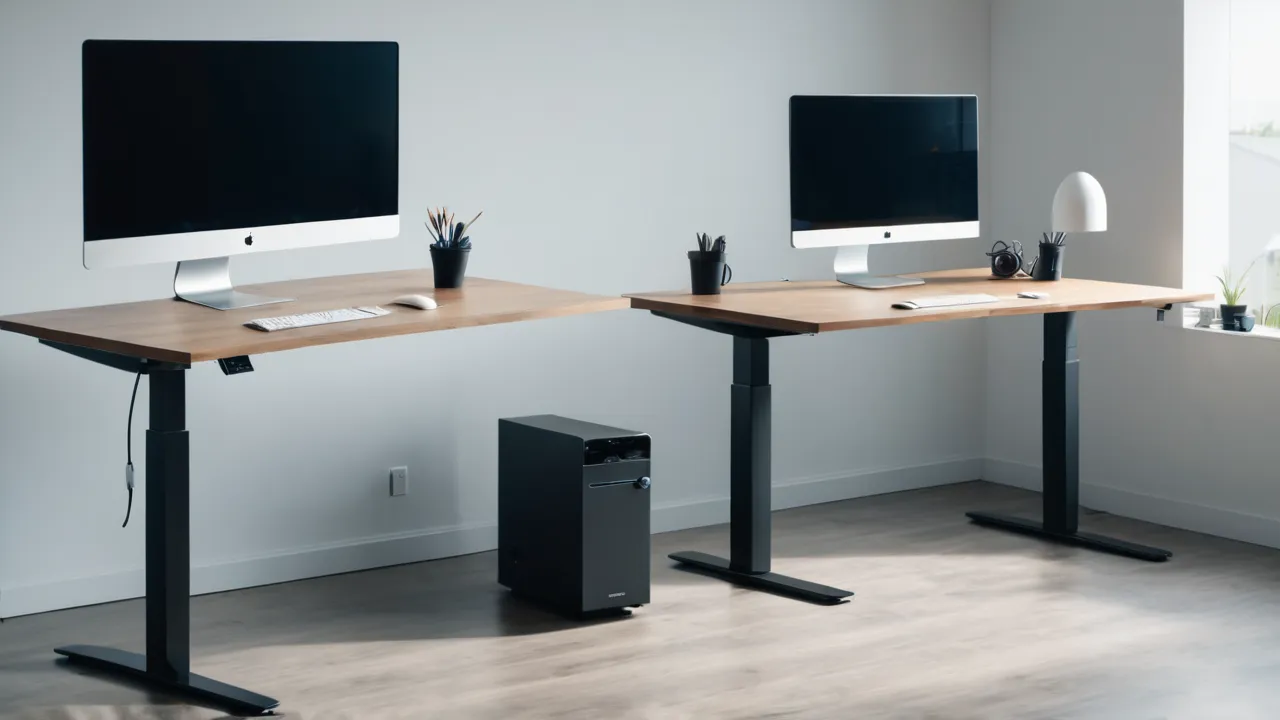
A dual motor standing desk has one lift motor in each leg, while a single motor desk uses one motor to drive both legs. Dual motors usually lift more weight, move faster and run smoother, and they cost more. A single motor frame can be enough for a light load with one or two monitors. Choose by the weight you must lift and always stay within the rating.
What the Motor Count Changes
In a dual motor desk, each leg has its own motor, and the control box keeps them in step. In a single motor desk, one motor turns a shaft or a mechanism that raises both legs together. Both designs aim for the same outcome, a desktop that rises evenly.
The motor count mainly changes three things.
- Lifting capacity: two motors share the load, so dual motor frames commonly list a higher weight rating. Single motor frames usually list a lower rating.
- Speed and smoothness: dual motors can move faster, and they tend to hold the desk level under uneven loads. Single motor desks may move more slowly and can show some twist if the load sits to one side.
- Cost and complexity: dual motors cost more and add a part that can fail. Single motor frames are simpler and cheaper, with fewer electrical parts.
Motor count is not the only factor. Leg stages, crossbars, the desk top, the foot design and the control box also shape how a desk behaves. A well built single motor frame can beat a poorly built dual motor one, so read the full specification.
A Rule by Load and Monitor Setup
Add up everything that will sit on the desk, including monitors, arms, a computer, a laptop, speakers, lamps and accessories. Then compare the total with the frame’s rated lifting capacity, not only its static capacity. Use the maker’s stated figures, and leave a margin.
| Your setup | Leans toward |
|---|---|
| One laptop and one small monitor | Single motor is usually enough, if within the rating |
| One or two standard monitors on arms | Either, with a margin under the rating |
| Large or ultrawide monitor, or heavy arms | Dual motor |
| Desktop tower or equipment on the desk | Dual motor, or a rating that clearly covers it |
| Shared desk or frequent height changes | Dual motor for speed and smoothness |
| Budget limited and light load | Single motor |
The rule is simple: if the load sits well under the rating of a single motor frame, a single motor is a sound and cheaper choice. If the load comes near the limit, or you want faster, smoother movement, choose dual motors. Check how the rating is measured, since it may refer to the weight evenly spread on the top.
Monitor arms add weight and leverage. A heavy arm with a large screen mounted at the back edge puts a load far from the legs, which affects stability. Position the weight over the legs where you can, and keep the heaviest items near the center.
Safety and Load Ratings
Stay within the load rating. Overloaded lifts can stall or fail, and a failing lift can drop or tilt a desk and everything on it. If the desk strains, stalls or makes a different sound when lifting, remove weight and check the manual.
Follow these habits.
- Read the manual’s capacity and the way it is defined.
- Add up your load, and leave a margin.
- Spread the weight over the top, and avoid concentrating a heavy item at one edge.
- Do not sit or stand on the desk.
- Check that nothing blocks the legs or crossbars when the desk moves.
- Keep cables slack, and keep pets, children and chairs clear of the legs.
- Use the anti collision or memory features as the manual describes, and do not rely on them to prevent harm.
- Use the desk on a level floor.
If a motor or the control box shows an error, stop using the desk and follow the manual’s reset procedure. Contact the maker if the error continues. Our standing desks category lists frames with their stated ratings.
Wobble Claims: What to Verify
Claims about wobble vary by source, and many are not backed by clear measurements. Makers and sellers sometimes state that dual motor frames wobble less, or that three stage legs are more stable. These statements may hold in some designs and fail in others, and figures such as millimeters of movement are rarely stated with a method. Treat any wobble figure as unverified unless the maker explains how it was measured.
What drives wobble:
- Height: any desk wobbles more at full height than at low height.
- Leg stages: more stages add flex, since each stage is a joint.
- Crossbar and frame stiffness: a stiff frame helps.
- Foot width and weight: a wide base resists sway.
- Desk top size and thickness: a long thin top flexes.
- Load position: heavy items far from the legs increase sway.
- Floor surface: carpet and uneven floors add motion.
To judge wobble, ask the maker for the frame’s specification, check the leg design and the foot size and read independent owner reports with caution. Plan to check the desk yourself on arrival at full height with your monitors in place, and return it within the window if it feels unsteady for your use.
Noise, Speed and Smoothness
Dual motor desks often move faster, and the speed is listed in inches per second on many product pages. Speed matters if you change height often, since waiting for a slow desk becomes tedious. Noise varies by model and by load. A heavily loaded desk is louder than a light one.
Smoothness depends on the control system. A desk that keeps both legs in step avoids tilt as it moves. If the legs fall out of step, the desk may stop or show an error. Many frames have a reset procedure for this, which the manual explains.
Memory presets, a display and a simple control are common on both types. Check the speed, the noise rating if listed and the range of heights. Compare the height range with your own sitting and standing heights, including a mat if you use one.
Repairs, Parts and Warranty
A dual motor frame has two motors, and a failure in either means a repair. A single motor frame has one motor, and one point of failure, though when it fails the whole lift stops. Ask whether the maker sells replacement motors, control boxes and handsets, and how a claim works.
Check the warranty terms for each part, since some makers cover the frame longer than the motors and electronics. Ask who pays for shipping and what counts as misuse, including overloading. Keep the receipt and the serial number. Our manual standing desk roundup covers a lighter option with no motor, which has its own tradeoffs.
Who Should Choose Which
- Light load, low budget, occasional height changes: single motor within its rating.
- Heavy load, ultrawide or multiple screens: dual motor.
- Frequent changes or shared use: dual motor.
- Concern about wobble: look at the whole frame design, not only motor count.
- Want fewer parts that can fail: single motor, or a manual desk.
See the how we review page for how we weigh these claims.
A Worked Example
Suppose a user plans a laptop, two 27 inch monitors on a dual arm and a small speaker. The user adds the weights from the product pages, finds the total sits well under the single motor frame’s rating, and checks that the heavy arm will sit near the center. A single motor is a reasonable choice, and the user plans to check the desk for wobble at full height on arrival. A second user plans a large ultrawide, a tower on the desk and a heavy arm, and the total approaches the single motor rating, so the second user chooses a dual motor frame.
What to Check on the Product Page
Look for the lift capacity and how it is defined, the height range, the speed, the number of leg stages, the foot size, the top size and the warranty by part. If a page lists only a headline capacity with no definition, ask the maker before buying.
Frequently Asked Questions
Is a dual motor standing desk worth it?
If your load is heavy or you change height often, yes, since dual motors usually lift more, move faster and run more smoothly. For a light load of a laptop and one or two monitors, a single motor within its rating is often enough and costs less.
Do dual motor desks wobble less?
Not necessarily. Wobble depends on height, leg stages, crossbar stiffness, foot width, top size and load position, as well as motors. Claims vary by source, and figures are often unverified. Check the frame design, and check the desk yourself at full height.
How much weight can a standing desk lift?
It depends on the frame, and the maker states the rating. Dual motor frames usually list higher ratings than single motor frames. Add the weight of everything on the desk, leave a margin and check how the maker defines the rating.
What happens if I overload a standing desk?
The lift can stall, show an error or slow down, and in the worst case a part can fail. Remove weight and follow the manual’s reset steps. Stay within the rating, and contact the maker if errors continue.
Final Thoughts
Choose a single motor frame for light loads within its rating and a dual motor frame for heavy loads, speed and smoothness. Add up your equipment, leave a margin under the rating and treat wobble claims with care. Check the desk at full height when it arrives, and use the return window if it feels unsteady.
Related buying guides
- Electric vs Manual Standing Desks: Which Lasts
- How to Choose a Standing Desk: Complete Guide
- L Shaped vs Straight Standing Desk Layouts
About the author

The BuyOnceChoice Editorial Team researches durable products worth buying once. Our guides compare published specifications, warranty terms, expert review consensus, and verified owner feedback. We do not conduct our own product trials. See How We Review and our Editorial Policy for our standards.