L Shaped vs Straight Standing Desk Layouts
Compare an L-shaped and a straight standing desk by room math, frame stability, cable routing, and monitor layout, with a decision rule for each buyer.
 By BuyOnceChoice Editorial Team
Updated November 16, 2026
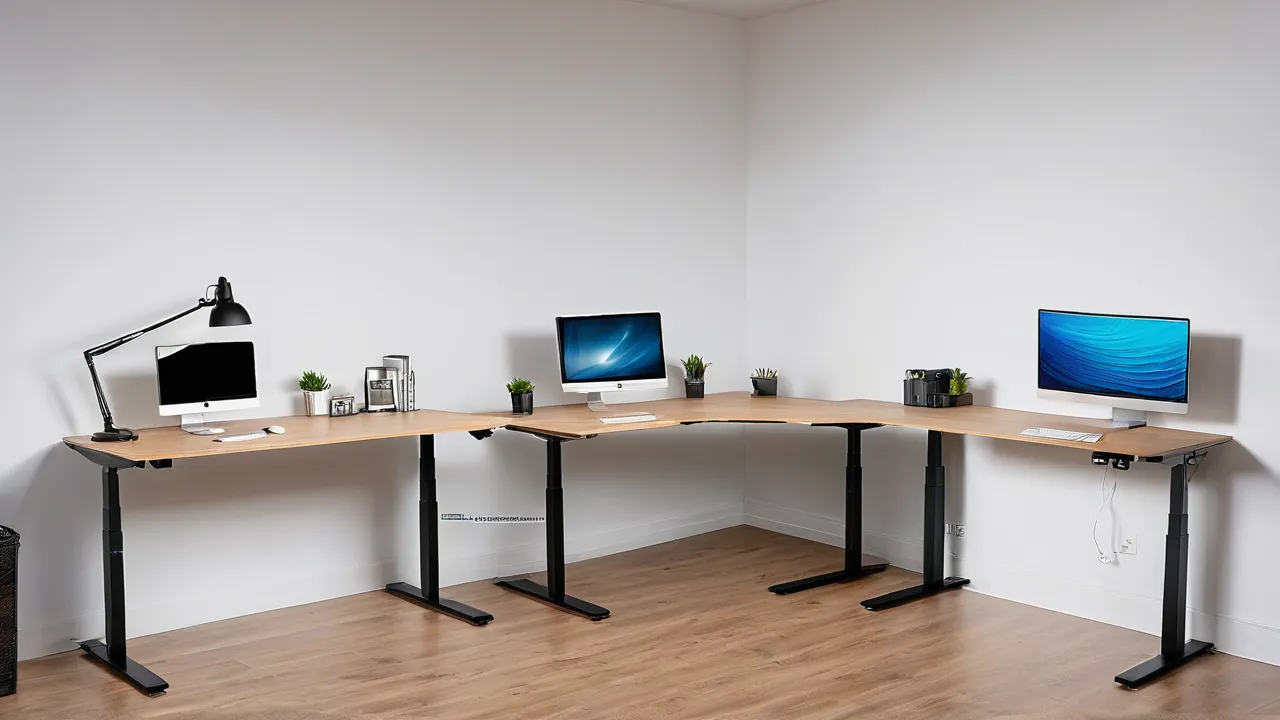
Choose an L-shaped standing desk if you need two work zones, such as a computer area and a writing or equipment area, and you have a room with a free corner and enough floor space. Choose a straight desk if your room is small, you want simpler assembly and a steadier frame, or one work surface is enough.
The shape changes more than the amount of surface. It affects the room layout, how the frame handles weight, how cables run, and where your monitors sit. This guide works through the room math, the frame questions, and the cable and monitor planning before you decide.
What Changes With the Shape
A straight desk is a single rectangular top on a frame with two legs, or sometimes three. An L-shaped desk joins two surfaces at a right angle, sharing a corner. Some are one piece of material cut in an L, and some are two separate tops on one frame or two linked frames. A few sit on frames that move both wings together, and some only raise one part.
An L gives you a main area and a return, which holds a laptop, a printer, or papers within reach. It uses the corner of a room, which is usually wasted space. A straight desk is easier to place, easier to move, and easier to fit in a narrow room. Our standing desks category describes the frame styles behind each shape.
Do the Room Math
Measure your room before you look at product pages. Mark the footprint of each candidate on the floor with painter’s tape. Include space to pull out a chair, to walk behind it, and to open doors, closets, and windows. An L-shaped desk often needs more floor area than its surface suggests, because the corner position and the return both take space.
Leave room for the chair to roll and rotate between the two wings, and check that you can reach both areas without stretching. If the room is small, a straight desk against a wall, perhaps with a narrow shelf above, may provide better use of space than an L that makes the room feel crowded.
A Floor Tape Check With Made-Up Numbers
Imagine an L-shaped desk with a 60 inch by 30 inch main top and a 42 inch by 24 inch return. Mark both rectangles on the floor in painter’s tape in the corner where it would sit. Then roll your chair along the full inside edge and stand up where you would stand. Many planners use roughly 30 to 36 inches as a minimum walkway and about 36 inches or more behind a rolling chair, though your own room and door positions may need more. If the tape leaves less than that, move down to a straight desk or a smaller L. Do the same for the straight candidate and compare how much of the room is left.
Orientation and Handedness
L-shaped desks usually come in a left-return or right-return layout, or have a reversible return. Pick the orientation that puts the second wing on the side you reach most naturally, and that fits the room’s door and window positions. Check whether the maker allows switching the return during assembly, which gives flexibility if you move to another room later.
Frame Stability and Lifting
Stability is the main engineering question. A straight desk has a simple load path, and many frames use a crossbar between the legs for rigidity. An L-shaped desk has a longer span and an unsupported corner, so it needs more legs or a heavier frame. Some L desks use three or four legs with synchronized motors, which adds cost and parts that can fail. Others support the return with fixed legs or by linking to the main frame.
Check the stated lifting capacity and how it is defined, and add up the weight of everything you will put on the desk. A large L-shaped top is heavy by itself, which uses part of the capacity. Look at the top thickness and material, and any center support under the long span. Wobble at standing height is more likely on a large L with a minimal frame. For related fixes, see our guide on standing desk wobble, and read how we review for how we think about frame stability.
Sit-Stand Behavior
If your work includes both computer tasks and hand tasks, such as sketching, soldering a small project, or sorting paper, the L layout makes it natural to separate them. The computer wing can stay at your preferred height while the return is used for the other work. When both wings move together, you give up that split but gain a consistent surface height. Check the maker’s description for which wings move, and for any limits on how far apart in height they can be.
Check how the moving parts behave. When both wings rise together, your whole work area changes height, which keeps everything at the same level. When only the main wing rises, the return stays at sitting height, which can be useful for a printer or papers but awkward if you move items between surfaces. Think about which behavior fits how you work.
Consider the keyboard and mouse position as well. An L layout often places the keyboard on one wing and the monitor in the corner, with a turn of the chair between tasks. Keep the screen straight ahead of you and use the return for secondary tasks.
Checking Wing Height Settings
If the L uses two separate lifts, look for synchronized controls or a statement that both wings stay level. Mismatched wings can leave a lip where the tops meet, which snags cables and paper. Ask whether the controller can raise one wing alone, whether the wings can be set to different heights, and what the manual says about the gap and level between them. If you cannot find those answers on the product page, treat the missing detail as a reason to ask the maker before ordering.
Cable and Power Plans
Treat the corner as the busiest spot. Most of the cables from your computer, monitors, and chargers converge there, and the corner often holds the most hardware, so plan strain relief and keep a bundle of spare slack. Cable raceways under the top, hook-and-loop ties, and a mounted power strip keep the corner from becoming a tangle. Leave a way to reach the plugs without crawling under the desk, since you will need to unplug things sooner or later.
An L-shaped desk makes cable routing more complex. Power and data cables must cross the corner and move with the desk. Plan a cable tray or channel on the frame, leave slack for the full height range, and use a power strip mounted under the desk. Avoid cables that cross the gap between the two wings unless the maker provides a routing path.
For a straight desk, routing is simpler: one tray, one set of slack loops. If you have many devices, count outlets and cable lengths in advance. Keep cables out of the leg area to avoid pinching.
Monitor Layout
Monitors on an L-shaped desk can be arranged in an arc around the corner, which suits multi-screen setups, or on one wing with the return used for paper and equipment. A corner position can place the screen at a comfortable distance, but a monitor arm mounted at the corner needs a sturdy clamp and a top that can handle the load. On a straight desk, a single wide monitor or two side by side fits naturally. See our monitors category for screen size and distance advice.
Who Should Choose What
There is one more factor: moving. L-shaped desks are bulky, their tops are large, and they can be hard to carry through doors and up stairs. Check the top dimensions against your entry path, and see whether the top ships in one piece or two. A person who expects to move often should lean toward a straight desk, which can be disassembled and fits more vehicles.
Choose an L-shaped desk if you have a corner to fill, you work with many papers or devices, you use several screens, and you can afford a robust frame. Choose a straight desk if your room is small, you prefer simplicity, you want to move the desk later, or your budget favors a sturdier frame per dollar. If unsure, a straight desk plus a small side table or a rolling cart gives you a second surface without the larger footprint. See the best manual standing desk guide for examples.
Frequently Asked Questions
Is an L-shaped standing desk worth it?
It is worth it if you have a free corner, need two distinct work zones, and can afford a sturdier frame. If your room is small or you want a simpler, steadier desk, a straight top plus a side table covers most needs. Measure the floor with tape before you decide.
Are L-shaped standing desks less stable?
They can be, because the longer span and the corner need more support than a straight top. Check the stated load rating, the number of legs and motors, and the top thickness. A good L-shaped frame can be stable, but a minimal one may wobble at full height.
What size room do I need for an L-shaped standing desk?
There is no single size. You need space for the desk footprint plus a walkway and chair clearance around the wings. Mark the footprint with tape, roll your chair through the space, and confirm that doors, closets, and windows still open freely.
Do both sides of an L-shaped standing desk rise together?
Some models raise both wings together, and some raise only the main wing. The product page or manual should say which. Choose based on whether you want one consistent surface height or a fixed return for a printer or papers.
Final Thoughts
Shape is a trade between surface and simplicity. An L offers two work zones and uses a corner, while a straight desk offers steadier frames and easier layouts. Do the room math, check frame capacity and stability, and plan the cables, and you will pick the shape that suits your space.
Related buying guides
- Standing Desk Assembly and Setup Checklist
- Standing Desk for Ultrawide Monitors: Depth and Load
- Standing Desk Height Guide: Find Your Range
About the author

The BuyOnceChoice Editorial Team researches durable products worth buying once. Our guides compare published specifications, warranty terms, expert review consensus, and verified owner feedback. We do not conduct our own product trials. See How We Review and our Editorial Policy for our standards.