Standing Desk Wobble: What Causes It and Fixes
Trace standing desk wobble to the frame, feet, or top overhang, then follow fixes in order from simple bolt tightening to when a stiffer frame is the answer.
 By BuyOnceChoice Editorial Team
Updated November 16, 2026
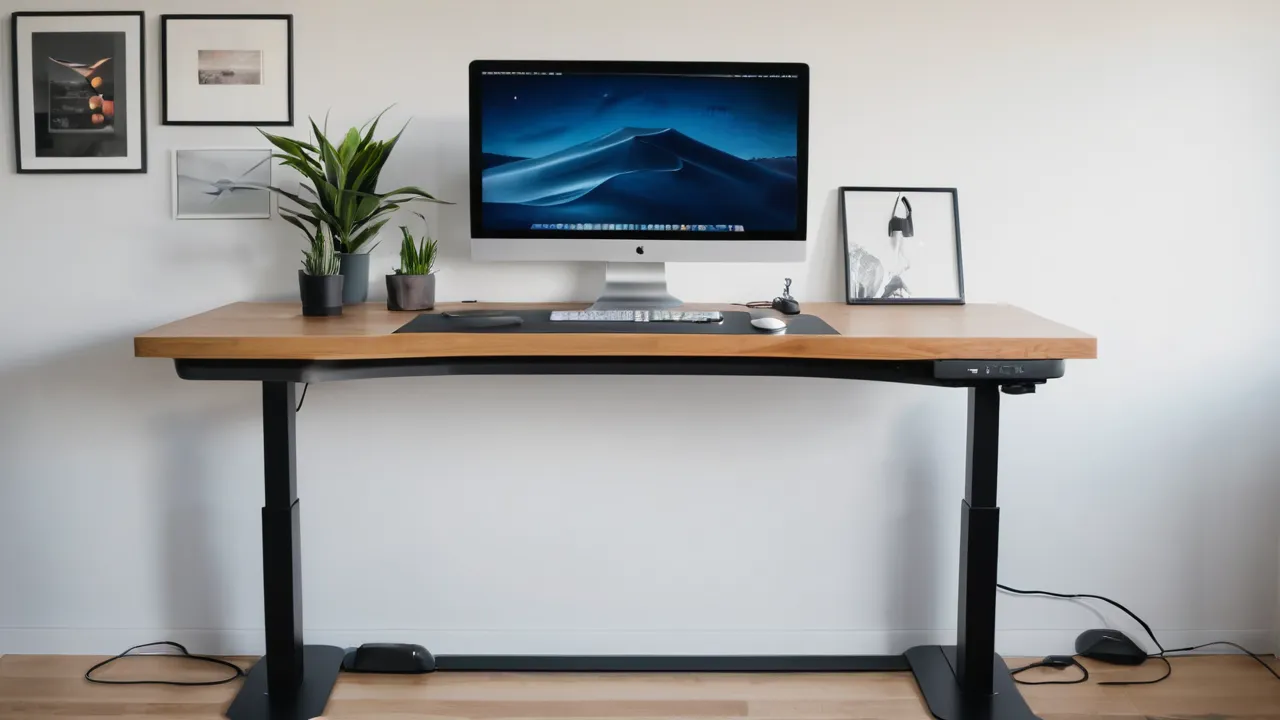
Standing desk wobble usually comes from one of three places: loose fasteners in the frame, uneven or unlevel feet, or a desk top that overhangs the legs too far. Start with the cheapest fixes, tightening hardware and leveling the feet, before you decide whether the desk needs a stiffer frame.
Some wobble is part of how a height-adjustable desk works, because the legs are telescoping tubes with a small amount of play between sections. The goal is to cut wobble down to a level that does not shake a monitor while you type, not to remove all movement. This guide walks through where wobble comes from and how to fix each source in order.
Why Standing Desks Move in the First Place
A fixed-height desk has short, rigid legs braced by an apron or crossbar. A standing desk has legs made of nested tubes that slide, so there is always a small gap between sections. The taller the desk is raised, the more leverage that gap has at the top, so the same play feels larger when the desk is at standing height than when sitting.
Other factors compound this: a heavy monitor arm at the back edge, a wide top that sits far from the frame, and uneven floors. Wobble that appears only at standing height points to leg play and leverage. Wobble at every height points to loose hardware or an uneven surface.
A Quick Diagnosis Table
| What you see | Likely cause | First fix |
|---|---|---|
| Wobble at every height | Loose bolts or unlevel feet | Tighten hardware, adjust glides |
| Wobble only when tall | Play in the telescoping legs | Lower load, recenter top, check frame design |
| Rocking when you press a corner | One foot not touching | Adjust the glide or add a hard pad |
| Shake when typing | Thin top or heavy rear load | Move arm near a leg, check top thickness |
| Twist when moving | Top off center or uneven load | Center the top, balance the weight |
Work down the table from the cheapest fix to the most expensive.
Step One: Tighten and Reseat the Frame
Loose bolts are the most common cause and the cheapest to fix. Unplug the desk and lower it to its lowest setting before you start. Then check:
- Bolts that attach the top to the frame brackets.
- Bolts that join legs to the crossbar or feet.
- Screws that hold the control box and cable tray, which can rattle.
- Any set screws on the telescoping sections, if your model has them.
Use the correct tool from the box and snug each bolt without over-tightening, since stripped holes in particleboard can make the problem worse. Follow the manual for torque guidance and for the order of tightening. If the hardware has locking washers or thread locker, keep them in place. After tightening, raise the desk and watch for movement. Our standing desks category covers frame types that affect stability.
Step Two: Level the Desk and Check the Feet
Many desks have adjustable glides on the feet. A foot that is slightly short leaves the frame twisting every time you lean on the top. Set the desk at a mid-height, press diagonally on each corner, and look for rocking. Adjust the glides until all four feet sit firmly, then confirm with a level on the top.
Hard floors reveal uneven feet quickly. On carpet, the base can sink unevenly, so place thin hard pads under the feet or choose wider feet. If the floor itself slopes, adjust the glides until the top is flat, and then check that the legs are straight.
Step Three: Mind the Overhang and the Top
Overhang is easy to measure. Compare how far the top extends past each leg on the left and right, and how far it sits in front of and behind the frame. Equal overhang on both ends keeps the load balanced. A top shoved to one side makes the frame work harder and can make one leg carry more weight than the other, which shows up as a lean or a twist when the desk moves up and down.
How far the top extends beyond the legs changes how much it flexes. A deep top that extends far over the back or front acts like a lever. Pushing the top toward the front edge of the legs reduces the leverage. If your frame allows the top to slide on its brackets, center it, so the load sits over the legs.
The top material matters too. Thin or hollow tops flex more than thick solid tops, and a long span between legs can sag. Check how top thickness and material affect stiffness before replacing the top. Very large tops usually need a center support or a three-leg frame.
Step Four: Reduce Load and Leverage at the Edge
Wobble is often a matter of where the weight sits, so audit the desk surface. Take everything off the top, raise the desk, and see how it behaves bare. If a bare desk is steady, the load is the issue, and you can add items back one at a time to find the one that sets off the shaking. A monitor arm clamped at the very back, with the screen extended forward, is the classic culprit, because the arm acts like a lever on the rear edge of the top.
Heavy items at the back edge, such as a monitor on a long arm or a speaker, add leverage. Move the monitor closer to the legs or use an arm with a lower profile. Use a clamp or grommet mount that sits near a leg when possible. Place heavy equipment, like a printer or tower, on a shelf under the desk or on the floor instead of the top.
Typing on a laptop on a stand is another case: a raised stand makes the keyboard bounce. A solid platform or a wider footprint can reduce this.
A Bare Desk Check
Remove everything from the top and raise the desk to your standing height. Press the middle of the top and each corner with moderate force and watch how long it takes to settle. Then add items back in the order you use them, starting with the lightest. When the shaking returns, you have found the item or the position that matters. Write the result down with the height setting, so you can tell support what you saw. This routine takes about ten minutes and gives you far better information than a guess.
Step Five: Know When It Is the Frame
Be realistic about expectations. Even good frames show some movement when you lean on them or type hard at full height, and the amount depends on the model, the height setting, and what sits on the top. A small sway that settles within a second or two is normal for telescoping legs. Constant shaking that makes text on the screen blur is not, and it is worth acting on.
If wobble remains after the earlier steps, the frame design may be the limit. Single-motor desks with thin legs, frames with only two stages, and very tall height ranges tend to flex more than dual-motor frames with wider tubes, crossbars, and three-stage legs. Check the manufacturer’s page for the leg design and the stated stability or load capacity, and treat those as design indicators rather than guarantees.
At this point you can contact the maker, since many frames have warranties that cover defects. Ask whether play beyond a certain amount counts as a defect, and keep photos or a short video. Read our guide to how we review desks for what we look for in a frame.
Who Should Fix It and Who Should Replace
Before you decide, keep a short note of what you tried and how the desk behaved at sitting and standing height, since that record helps if you need to contact the seller. Many wobble complaints turn out to be a single loose bolt or a missing glide adjustment, which costs nothing to fix.
Fix it yourself if wobble is minor, appears at standing height only, and responds to tightening and leveling. Replace the desk or frame if the legs have visible play at low height, if the top flexes under normal typing, or if the maker confirms a defect and offers no remedy. If you are shopping, favor wider legs, a crossbar, and a top supported near the legs. Browse the best manual standing desk guide for context.
Frequently Asked Questions
Why does my standing desk wobble?
The usual causes are loose fasteners, uneven feet, a top that overhangs the legs too far, play between the telescoping leg sections, and heavy weight at the edge. Wobble at every height points to hardware or the floor. Wobble only at standing height points to leg play and leverage.
How do I fix a wobbly standing desk?
Unplug it, lower it, and tighten the frame bolts snug without over tightening. Then adjust the glides until every foot sits firmly, center the top over the legs, and move heavy items closer to the legs. If it still shakes, judge whether the frame design is the limit.
Is some wobble normal on a standing desk?
Yes. Telescoping legs always have a small amount of play, and it feels larger at full height. A small sway that settles within a second or two is normal. Constant shaking that blurs text while you type is worth acting on.
Will a thicker desk top reduce wobble?
It can reduce top flex and vibration, but it will not fix play in the legs or loose bolts. A thicker top is also heavier, which counts against the load rating. Fix hardware, leveling, and load placement first, then consider the top.
Final Thoughts
Wobble comes from play in the legs, loose or uneven hardware, and leverage from the top. Fix it in order: tighten, level, recenter the top, reduce edge load, and then judge the frame. Most desks improve with the first three steps, and the rest tells you whether the desk was the right design for your height and load.
Related buying guides
- Anti Fatigue Mats and Footwear for Standing Desks
- Bamboo vs Laminate vs Solid Wood Desk Tops
- Dual Motor vs Single Motor Standing Desks
About the author

The BuyOnceChoice Editorial Team researches durable products worth buying once. Our guides compare published specifications, warranty terms, expert review consensus, and verified owner feedback. We do not conduct our own product trials. See How We Review and our Editorial Policy for our standards.