Solar Generator Maintenance and Storage Guide
A short routine keeps panels clean, cables sound and the battery healthy. See what to check before and after trips, and how to store a unit between outages.
 By BuyOnceChoice Editorial Team
Updated November 16, 2026
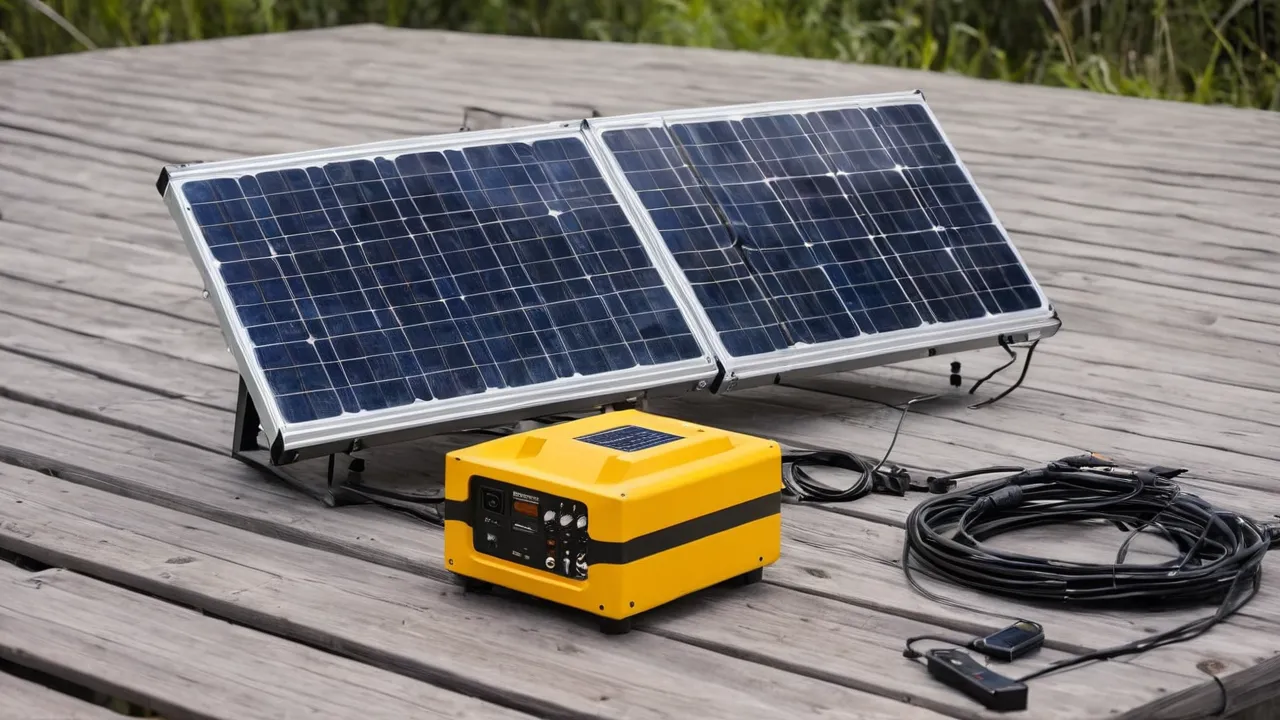
Solar generator maintenance is a short routine: wipe the panels and check them for damage, inspect and coil the cables, keep the battery unit clean, dry, and cool, charge it periodically to the level the manual recommends, and store everything out of heat, moisture, and freezing temperatures. Do it monthly while in use and every few months in storage, and the equipment will last far longer than if it is left in a hot garage.
This guide gives the steps and intervals for each part of the system, with the storage rules that most owners get wrong. It leans on durability, since the goal is a system that lasts. Always follow your manual first. Browse our portable power stations category and solar panels category for equipment, read How We Review for our approach to specifications, and visit the power and energy hub for related guides.
What a Solar Generator Is Made Of
A solar generator has four parts that need care: the solar panels, the cables and connectors between them, the battery and inverter unit, and the accessories such as stands and carry cases. Each ages differently. Panels fail slowly through scratches, hinge wear, and connector corrosion. Cables fail at the plugs. The battery ages with heat, deep discharge, and time. The inverter and fans fail from dust and moisture.
Treat maintenance as protecting the weak points. A few minutes of inspection will find a frayed cable or a loose connector long before it causes a failure.
Panel Care for Folding and Portable Panels
Wipe panels with a soft cloth and clean water. Dust and bird droppings block light, and even a small shadow can reduce output. Avoid abrasive cleaners, scouring pads, and pressure washers. For stubborn dirt, use mild soap, rinse, and let the panel dry before folding.
Inspect for cracked cells, delamination, bubbles, and discoloration. For folding panels, check the hinges, stitching, and kickstands, and fold them along the creases without forcing. Store flat or in the case, out of direct sun, and not under heavy items that could crack the cells.
Cables and Connectors
Cables take the most abuse. Check for cuts, kinks, crushed sections, and exposed copper. Look at connector pins for corrosion or bending, and keep the dust caps on when not in use. Coil cables loosely in large loops, not tight wraps, and do not pull on the cable to unplug it. If a connector gets warm during use, stop and inspect it, since a warm plug means a bad connection or an overloaded cable.
Match cable gauge and length to the current. A long, thin cable loses power and heats up. Replace damaged cables with ones of the same rating, from the manufacturer or a trusted source, and never tape over damage as a permanent fix.
The Battery Unit
Keep the unit clean and dry. Wipe the case and clear dust from vents with a dry cloth or a gentle burst of air, with the unit off and unplugged. Make sure fans spin freely and vents are not blocked. Check the ports for debris. Look for swelling, cracks, or odd smells, and stop using the unit if you see them.
Update firmware if the manufacturer offers it, and read release notes. Keep a record of the date, charge level, and any error codes, since patterns help diagnose problems.
Storage: The Part Most Owners Get Wrong
Batteries age even when idle. The two main enemies are heat and extreme charge levels. Store the unit in a cool, dry place, away from direct sun, heaters, and freezing temperatures, in the range stated in the manual. Many manuals recommend storing lithium batteries at a partial charge, often around half to most of a full charge, rather than fully charged or empty. Follow the maker’s number.
Recharge on a schedule. Units drain slowly on their own, and some use power for standby circuits. Check the charge every two to three months, and top up as the manual says. A battery left empty for a long time can fall below a safe voltage and may not recover.
Before You Shelve It
- Turn off the inverter and all outputs, and unplug everything.
- Charge or discharge to the storage level in the manual.
- Clean the case and ports and let everything dry fully.
- Coil cables and place them in a bag with the unit.
- Store in a cool, dry place, off the floor, away from fuel and flammables.
- Set a reminder to check the charge.
A Simple Routine and Intervals
| Task | Interval |
|---|---|
| Wipe panels, check connectors | Before each trip or monthly in use |
| Inspect cables, case, ports, vents | Monthly in use |
| Check charge level and top up | Every two to three months in storage |
| Clean vents and ports | Every few months, or after dusty trips |
| Review firmware and manual notes | Twice a year |
These intervals are a starting point. If your manual gives different numbers, use them. Put the first reminder on your phone calendar the day you buy the unit, and attach the manual to it, so the schedule survives long after the box is recycled. Owners who track the dates usually avoid the two most common failures, a battery left empty over winter and a cable that was never inspected until it failed on the trip.
Weather, Dust, Salt Air, and Warning Signs
Dust and sand work into fans, ports, and hinges, so keep the unit in a bag when not in use and blow out the vents after dusty trips. Salt air corrodes connectors, so rinse panels with fresh water, dry them, and apply a light protective spray on metal contacts only if the manufacturer allows it. Rain and humidity can enter ports, so keep caps on and avoid setting the unit on wet ground. Keep a log of dates and charge levels, and watch for warning signs.
- Capacity that drops quickly between charges.
- A case that feels very hot during normal use.
- Fans that run loudly or constantly.
- Error codes that repeat.
- Swollen or leaking cases, or a burning smell.
If a warning sign appears, stop using the unit and contact the manufacturer. Do not open the case or try to repair the battery yourself.
Who Needs How Much Maintenance
- Occasional campers: wipe, inspect cables, and keep the unit charged to the storage level between trips.
- Full-time RV and van users: monthly inspections, since vibration loosens connectors.
- Home backup owners: check every few months, and exercise the unit by discharging and recharging a little each season.
- Salt air and dusty environments: inspect more often.
A Worked Seasonal Schedule
Suppose you camp from spring through fall and store the unit in winter. In early spring, take it out, inspect the case and cables, wipe the panels, and charge it fully for the first trip. During the season, repeat the quick routine before each outing, and top the charge back to the storage level when you return if the unit will sit for more than a couple of weeks. In late fall, run the unit down moderately, charge to the storage level, clean and dry everything, and put it away indoors. Set reminders for a winter check in midwinter and another in early spring. The whole routine takes around fifteen minutes per visit.
When to Repair, Replace, or Retire a Part
Replace a cable with cut insulation, exposed copper, or a loose or discolored connector. Replace panel stands and cases when they stop doing their job, since they protect more expensive parts. A panel with cracked cells may still produce power but at reduced output and with a risk of hot spots, so retire it if the damage spreads. For the battery unit, contact the manufacturer about swelling, persistent error codes, or a sharp drop in capacity, and ask about warranty coverage before attempting anything yourself. Never open a battery pack. Dispose of old lithium batteries through a recycling program that accepts them, and do not put them in household trash.
Keeping the original box, manual, and receipt makes warranty claims and resale easier, and a short log of storage charge dates shows the maker that you followed their guidance.
Frequently Asked Questions
How should I store a solar generator for the winter?
Charge it to the storage level in the manual, turn off the outputs, and keep it in a dry place within the allowed temperature range, ideally indoors. Check and top up the charge every few months. Avoid unheated garages in hard freezes, since cold can damage lithium batteries, especially if charged while cold.
How often should I clean my portable solar panels?
Wipe them before each trip, and whenever you notice dust, pollen, or droppings. Use a soft cloth and clean water, not abrasive cleaners. In dusty or coastal areas, clean more often. After cleaning, let them dry before folding, and check for cracks and loose connectors.
How long do solar generators last?
Panels commonly last for many years with gradual output loss, and the battery’s life depends on chemistry, cycles, heat, and storage. Ratings give estimates, not guarantees. Good habits, such as avoiding heat, avoiding deep discharge, and recharging in storage, extend life. Read the warranty for what the maker covers.
Final Thoughts
Maintenance is mostly storage: keep the battery cool, dry, and at the recommended charge, check it every few months, and keep cables and panels clean and uncrushed. Inspect before each trip, stop at the first warning sign, and use the manual as the final word.
Related buying guides
- Solar Generator for Off Grid Cabin: A Planning Guide
- Can a Solar Generator Run a Window AC Unit
- Can a Solar Generator Run a Well Pump or Sump Pump
About the author

The BuyOnceChoice Editorial Team researches durable products worth buying once. Our guides compare published specifications, warranty terms, expert review consensus, and verified owner feedback. We do not conduct our own product trials. See How We Review and our Editorial Policy for our standards.