Matte vs Glossy Monitor Screens for Home Offices
Compare matte and glossy monitor screens by glare control, contrast, and coating wear, and learn how window and lamp placement often decides the better choice.
 By BuyOnceChoice Editorial Team
Updated November 16, 2026
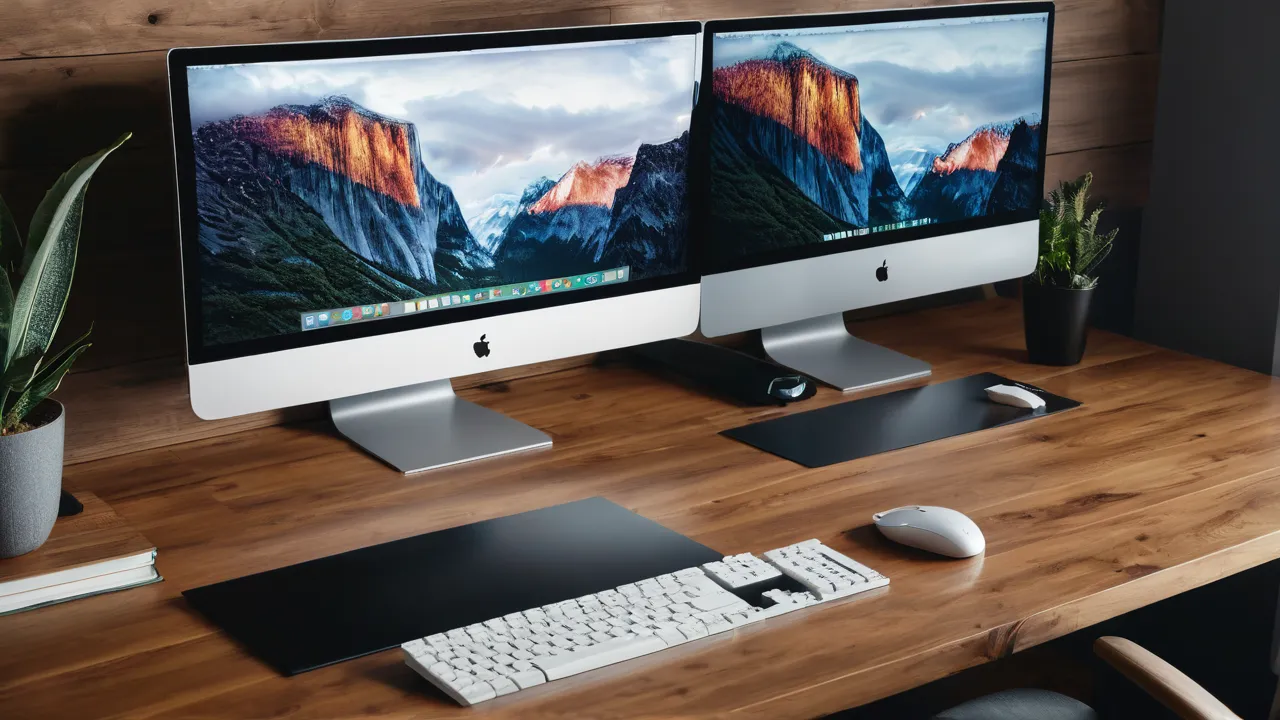
A matte monitor scatters ambient light, which reduces reflections but slightly softens contrast and sharpness, while a glossy monitor looks richer and punchier but shows reflections of windows and lamps. For most offices with windows or overhead lights, matte is the safer choice. Glossy works best in controlled lighting and for people who value contrast.
The better choice depends on your room, not on a universal rule. This guide explains how each coating works, how glare behaves, how coatings wear, and how placement can solve most problems either way.
What the Coatings Do
Manufacturers describe coatings in several ways: anti-glare, low reflection, matte, semi-glossy, and glossy. These terms overlap, and there is a spectrum rather than two categories. A light anti-glare layer gives a small haze with fewer side effects, while a strong one scatters more but may show more grain. Read the product description for the term used, and read owner comments for notes on grain and reflections in real rooms.
A matte screen has an anti-glare surface that diffuses incoming light. It spreads reflections into a soft haze, which makes them less distracting. The trade-off is a faint graininess on some screens, and a small loss of contrast and perceived sharpness, because the diffusion layer scatters some of the light coming from the display too.
A glossy screen has a smooth, often coated surface that keeps the image crisp and colors vivid. It also acts like a mirror when light hits it. A bright window behind you, a lamp, or a white shirt can appear as a clear reflection that is hard to ignore in a dim image. Our monitors category lists the panel features that affect how screens look in a room.
How to Read Product Descriptions and Owner Comments
Spec pages use many words for the same thing. Anti-glare, matte, and low reflection usually mean a diffusing surface. Glossy, clear, or glass panel usually means a smooth surface. Semi-glossy or light anti-glare sits between the two. If the page does not state the finish, look at product photos for reflections and read owner comments for the words grain, sparkle, and reflections. A few comments describing a window reflection in a bright room tell you more than the marketing line. Treat a single complaint as noise and a repeated one as a pattern.
Glare and Room Lighting
Glare is about the light in your room. A screen that faces a window or sits under a bright ceiling light will reflect it. Matte coatings help in bright rooms, since they turn sharp reflections into a gentle wash. In a dim room with controlled light, glossy panels can look excellent, because few reflections exist.
Check your own room by turning the monitor off and looking at it from your seat. A black screen acts like a mirror, and you will see exactly what the room reflects: windows, lamps, your own face. If reflections cover large areas, matte is the better pick, or you need to change the layout.
Contrast, Color, and Sharpness
What you do on the screen changes the answer. Long hours of reading and spreadsheet work reward a surface that does not reflect, since your eyes are not distracted by bright shapes sliding across the black parts of a page. Watching films in the evening rewards a glossy panel’s deeper look. If you do both on the same screen, choose for the activity that takes most of your time, and fix the other with lighting.
Glossy panels tend to show deeper blacks and more saturated colors, especially in dim rooms, which suits video and photo work. Matte panels can look a little flatter, though good ones are very capable. Text clarity on matte screens is fine for most people, but a heavy anti-glare layer may add a slight sparkle effect on white backgrounds in some panels. If you read dense text all day, check owner comments for any grain complaints.
Creative professionals who need accuracy often use a hood to block stray light and choose either type depending on the environment. The coating is one of several factors, alongside panel type and calibration.
Placement Solves Many Problems
A simple way to find the best position is to sit at the desk, turn the screen off, and slowly rotate it a few degrees while watching the reflections. Stop where the reflections fall on a dark wall or away from your line of sight. Then check again in the afternoon, since sun angles change. If the reflections from a window are unavoidable, a blind that diffuses light is cheaper than changing screens.
Lamps matter as much as windows. A desk lamp aimed at the keyboard can bounce off a glossy screen, so place it to the side and point it downward. Overhead lights directly above and behind you cause a reflection near the top of the screen, which a small tilt can move out of view.
Move the monitor first. Place it at right angles to windows, not facing or backing onto them. Use blinds or curtains to control sunlight, and position lamps so they do not shine at the screen. Tilt the screen slightly to change what it reflects, and consider a monitor hood for stubborn reflections. Light behind you is usually the largest cause of glare on a glossy screen.
For standing desk users, remember that raising the desk changes the angles and may bring a window into view. Check reflections at both heights. Our guide to how we review screens includes how we think about glare.
A Room Walkthrough With Made-Up Details
Imagine a desk facing a side window, with a ceiling light behind your chair. In the morning, the window light spreads across the front of a glossy screen, and the ceiling light bounces back as a bright patch near the top edge. Turning the desk so the window is at your left and tilting the screen down a few degrees removes most of it. If afternoon sun still reaches the panel, add a sheer blind. If after those two changes you still see reflections on a black screen, switch to matte next time. The order matters: fix placement first, because it is free, and change the screen second.
Coating Wear and Care
A few small habits preserve either surface. Turn the screen off before cleaning so you can see dust and smears. Wipe in one direction with a clean cloth, and replace the cloth when it gets dirty, since grit scratches. Keep cleaning sprays away from the edges, where liquid can run into the bezel. Wash your hands before adjusting the screen, and avoid touching it, since skin oils spread across a glossy surface and leave marks that are visible whenever the screen is dark.
Coatings can wear. Anti-glare layers may become shiny where rubbed, and some can scratch if cleaned roughly. Glossy surfaces show fingerprints and fine scratches more readily. Clean with a soft microfiber cloth lightly dampened with water, with the monitor off, and avoid harsh chemicals, paper towels, and spray directly onto the screen. Follow the maker’s care instructions, since some coatings are sensitive.
Do not press on the panel, and keep sharp objects away. A screen protector is optional and may change the surface. Because coating damage is permanent, gentle care matters more than which type you chose.
Choosing by Use
A few buyers also ask about screen filters, which are thin sheets that attach to the front. They can reduce glare on a glossy panel but may add a haze and trap dust at the edges, so they are a workaround rather than a first choice. Moving the monitor is almost always a cleaner fix.
- Bright office or room with windows: matte, with sensible placement.
- Dim room, home theater feel, or evening work: glossy can look better.
- Photo or video work: choose based on accuracy and control of lighting, and use a hood if needed.
- Shared spaces with changing light: matte is more forgiving.
- Laptop used near windows: matte reduces eye strain from reflections.
Who Should Choose What
Pick matte if you work near windows, share a space, or hate reflections. Pick glossy if you control the lighting, enjoy vivid contrast, and place the screen away from light sources. If you are unsure, favor matte for office use. See the best productivity monitor guide for screens built for work.
Frequently Asked Questions
Is a matte or glossy monitor better for office work?
Matte is usually better for offices with windows or overhead lights because it turns reflections into a soft haze. Glossy gives more contrast and richer color, but only pays off in controlled lighting. Turn your current screen off and look at what it reflects before choosing.
Does a matte monitor look blurry?
A matte coating adds a slight haze and can create a faint grain on white backgrounds, which some people notice on small text. Quality coatings keep this subtle. If you read dense text all day, check owner comments for grain complaints, and consider a lighter anti-glare layer.
Can I make a glossy monitor less reflective?
Yes. Move the screen at right angles to windows, tilt it slightly, add blinds, and point lamps from the side. A monitor hood can help for stubborn reflections. Screen filters can reduce glare but may add haze, so treat them as a last step.
How do I clean a matte or glossy screen safely?
Turn the monitor off, then wipe with a clean, soft microfiber cloth slightly dampened with water. Wipe in one direction and never spray liquid directly onto the screen. Avoid paper towels and harsh chemicals, and check the maker care instructions because some coatings are delicate.
Final Thoughts
Matte trades a little punch for a lot of reflection control, and glossy does the reverse. Look at your own room with the screen off, fix placement, and choose the coating that suits your lighting. Either type can serve well when it matches the room it lives in.
Related buying guides
- Monitor Arm Buying Guide: VESA, Weight, Reach
- Monitor Calibration: Do You Need a Colorimeter?
- Monitor Color Accuracy: sRGB, P3 and Delta E
About the author

The BuyOnceChoice Editorial Team researches durable products worth buying once. Our guides compare published specifications, warranty terms, expert review consensus, and verified owner feedback. We do not conduct our own product trials. See How We Review and our Editorial Policy for our standards.