Fixed vs Removable Laptop Sleeve in Travel Backpacks
TSA does not certify backpacks. See what the label really means, how clamshell, fixed sleeve and removable sleeve layouts compare, and who each suits.
 By BuyOnceChoice Editorial Team
Updated November 16, 2026
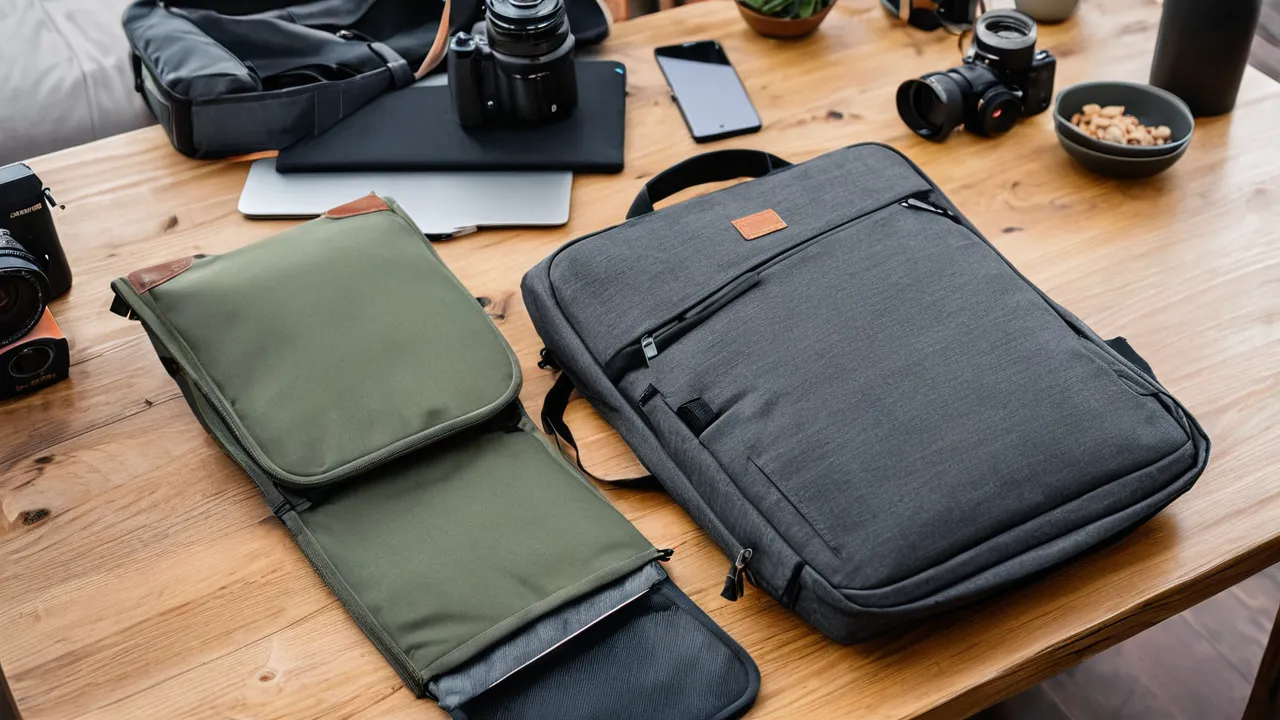
TSA does not certify or approve laptop backpacks, so the phrase TSA friendly is a marketing description, not an official designation. It usually means the bag lets you reach the laptop quickly. Three layouts do this: a clamshell that opens flat, a fixed padded compartment with a quick-access opening, and a removable sleeve you carry separately.
What TSA Friendly Really Means
Screening procedures vary by airport and change over time. Some lanes ask you to remove laptops, while others with newer scanners allow them to stay in the bag. Check the current guidance on the TSA website before you travel, because rules differ by lane type and country.
Because there is no certification, brands apply the label to different features. Some mean the laptop section opens flat so the scanner sees it clearly. Others mean the compartment is easy to access. Treat the phrase as a hint to examine the layout, not a promise.
The Three Layouts
Clamshell
A clamshell backpack opens like a suitcase, with a zipper running around three sides. The laptop sits in a dedicated panel that lays open flat. Advantages are quick access, an unobstructed view for screening and good visibility to everything else in the bag. The drawbacks are the extra zipper, which can be a failure point, and the way the main compartment can spill if you open it carelessly.
Fixed laptop sleeve
A fixed sleeve is a padded pocket sewn into the back panel. It protects the laptop close to your back and does not take extra steps to remove. It is easy to use daily. At screening you may need to pull the laptop out by the sleeve opening, which works, but the sleeve stays in the bag. Check that the pocket has a floor that stops the laptop from touching the ground when you set the bag down.
Removable sleeve
A removable sleeve is a separate padded case that slides in and out. You pull it out at security with the laptop inside, and you can carry it alone into meetings. The sleeve adds a step to unpacking and can be left behind, but it makes the bag flexible and protects the laptop in other bags.
Comparing the Layouts
| Layout | Best for | Main watch-out |
|---|---|---|
| Clamshell | Frequent flyers who want fast access | Extra zipper to maintain |
| Fixed sleeve | Daily commuters | Laptop stays inside the bag |
| Removable sleeve | Mixed use, meetings and travel | Can be forgotten or lost |
What to check beyond the label
Instead of trusting the phrase, verify these features:
- Interior fit: confirm the compartment’s stated dimensions against your laptop, with room for a case if you use one.
- Padding: look for thick padding at the base and sides, and a raised bottom so a drop does not hit the ground first.
- Access: can you open the section with one hand while standing in a line?
- Structure: a stiff back panel keeps the pack from sagging.
- Straps: padded shoulder straps help if the laptop plus gear gets heavy.
Our backpack category shows packs with these features, and the best executive backpack roundup highlights models with a professional look.
Interior measuring routine
Before you buy, measure your laptop’s width, depth and thickness with a tape measure, including any sleeve or hard case you use. Add about half an inch of room to each side so the laptop slides in without forcing it. Compare those numbers with the compartment’s stated interior size, and remember that the screen size in inches, such as 15 or 17, refers to the diagonal of the display, not the shell. Two 15 inch laptops can differ by more than an inch in width. If the listing gives only a screen size, assume you need to confirm the real dimensions.
When Each Layout Helps at the Airport
If you travel through busy airports and expect to unpack at the checkpoint, a clamshell reduces fuss. If your airport uses lanes that let you keep a laptop inside, a fixed sleeve saves time. If you move between meetings and flights, a removable sleeve gives you a grab-and-go option. In every case, have your laptop and any liquids ready before you reach the belt, and follow officer instructions.
Daily life beyond the checkpoint
The airport is a few minutes of a trip, while the bag is on your back for hours. A laptop that sits against your spine pulls the pack’s center of gravity backward and can feel heavy, which is where a fixed sleeve closest to the back panel shines. In a clamshell, the laptop layer sits in the center and keeps weight balanced. A removable sleeve can drop in anywhere in the bag, so how you load it decides how it carries.
Consider cables, chargers and a mouse too. A dedicated organizer pocket near the laptop section keeps them from shifting and scratching surfaces. Quick-access top pockets for passports, headphones and a phone mean you open the main compartment less often, which preserves the zippers and keeps the laptop panel where it belongs. Think about rain: a laptop pocket should sit away from the bottom edge, since puddles collect there, and a zipper with a storm flap helps keep water out.
Another practical point is security at the checkpoint. A bag that unfolds clearly lets an officer see the contents, which can reduce the chance of a secondary check. Pack electronics in one place, keep paper and snacks separate, and avoid burying cables under clothing. Whatever the layout, clear instructions from officers override any label on the bag.
Common Mistakes With Laptop Compartments
Many buyers also forget that a laptop bag gets heavier as the laptop gets larger, and a sleeve that rides low pulls on the shoulders. If you carry a larger machine every day, prefer a pack with a firm back panel and a sternum strap or hip belt, because those spread weight across your torso. Check that shoulder straps are wide enough not to dig in and that the top handle is stitched firmly, since people lift packs by the handle when the laptop is inside.
Buyers often assume that a bag labeled for a given screen size will fit a laptop of that size with a case on. It may not. A thick protective shell, a bulky charger or a bumper can add enough to jam the opening. Another mistake is trusting padding thickness described only as extra padded, which has no meaning. Look for padding at the bottom and corners, since drops land there. A third mistake is overloading the laptop panel with chargers and notebooks, which presses against the screen and can mark it.
Also avoid choosing by the checkpoint alone. If you rarely fly, the better question is how the bag treats your laptop on a commute. Weigh daily comfort and protection first, then treat airport convenience as a bonus.
Choosing for Your Trip Pattern
Verdict by buyer type: the frequent flyer who is often sent through standard lanes should lean clamshell, because the laptop panel opens flat and you can lift the whole layer out in seconds. The daily commuter who flies a few times a year should lean fixed sleeve, since the padding stays against the back and nothing can be left behind. The traveler who works in cafes, meetings and hotel rooms should lean removable sleeve, because the sleeve doubles as a standalone case.
Screening rules also change by lane. TSA PreCheck lanes often let you leave a laptop inside the bag, while standard lanes at many airports still ask you to remove it. The rule can differ by airport, by day and by scanner type, so plan to take the laptop out quickly and read the current guidance on the TSA website before you travel. A layout that makes removal easy is useful in either case.
Think of cost of failure too. A clamshell adds a long zipper that can split if the bag is overpacked. A fixed sleeve has no extra moving parts but offers less flexibility. A removable sleeve adds a part that can be lost, so many owners keep it in the same spot each trip. Weigh these small risks against how you actually move.
Who Should Choose Which
Choose a clamshell if you fly often and prioritize visibility and speed. Choose a fixed sleeve if you commute daily and rarely need to remove the laptop. Choose a removable sleeve if you want to carry the laptop into meetings or move it between bags. Skip bags that describe themselves only as TSA friendly with no layout details. For how we assess such claims, see the how we review page.
Frequently Asked Questions
Does TSA approve laptop backpacks?
No. TSA does not certify or approve bags, so TSA friendly is a brand description, not an official status. It usually means the laptop compartment opens flat or is easy to reach. Check the current TSA guidance for your airport and lane before you travel.
Do I have to take my laptop out of my backpack at airport security?
It depends on the lane and the scanner. Many standard lanes ask you to remove laptops and place them in a bin, while some lanes, such as PreCheck, often let you keep them in the bag. Follow the officer’s instructions and check the TSA website before you fly.
Is a clamshell or a sleeve better for a laptop backpack?
A clamshell opens widest and gives the fastest access, while a sleeve keeps the laptop closer to your back and simpler to use daily. Choose a clamshell if you fly often, a fixed sleeve if you commute, and a removable sleeve if you carry the laptop on its own.
Final Thoughts
The phrase TSA friendly is a clue, not a standard. Look at the layout, confirm the interior measurements and decide how you move through checkpoints. A clamshell opens the widest, a fixed sleeve is the simplest and a removable sleeve is the most flexible.
Related buying guides
- How Long Do Travel Backpacks Last and What Fails First
- How to Choose a Camera Travel Backpack
- How to Choose a Travel Backpack for Your Trip Style
About the author

The BuyOnceChoice Editorial Team researches durable products worth buying once. Our guides compare published specifications, warranty terms, expert review consensus, and verified owner feedback. We do not conduct our own product trials. See How We Review and our Editorial Policy for our standards.